
- Project team
- Design Engineer
- Year
- 2026

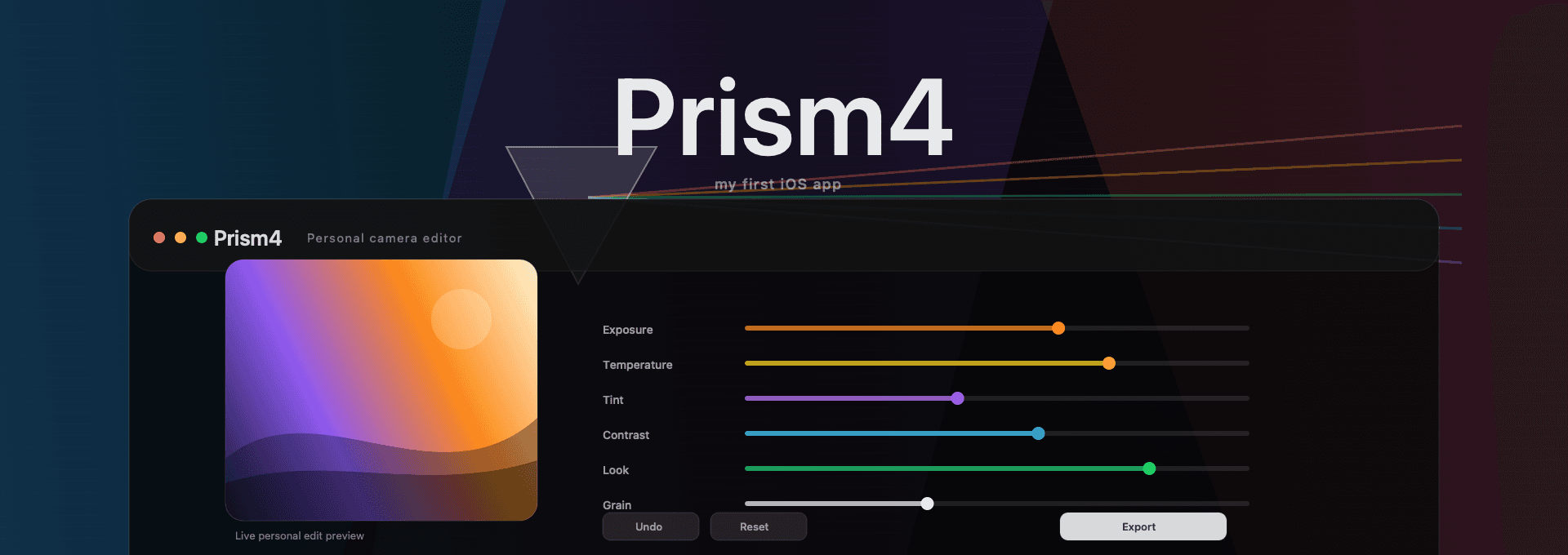
Replacing Lightroom with the photo editor I actually want
My first iOS app: a personal camera editor built around the essentials I use, with fast edits, reusable looks, clean exports, and none of the subscription baggage or app bloat.
Stack





Prism4 started as an escape hatch from the way photo editing has slowly turned into a subscription and workspace-management problem. I wanted a small editor that fits my own camera workflow: open a photo, make the adjustments I actually make, save the look if it is worth reusing, export the finished version, and get out.
It is also my first iOS app, which made the constraint sharper: instead of trying to learn the platform by cloning a huge professional editor, I wanted to build something narrow enough to finish and personal enough that I would actually use it.
Getting out of the subscription loop.
I don't want Lightroom to be the default home for my photos just because it has been the default for everyone else. The subscription is annoying, but the bigger problem is the feeling that a simple edit has to live inside a giant product with catalogs, panels, cloud sync, prompts, presets, and a hundred controls I barely touch.
Prism4 is me cutting that down to the workflow I actually want to use. No account. No monthly bill. No product trying to become my whole photo library.
Only the controls I actually use.
Most of my edits are not complicated. I care about exposure, temperature, tint, contrast, saturation, highlights, shadows, a look, a little grain, maybe a vignette, and a clean export. That is the product line for Prism4: keep the controls close, keep them readable, and avoid turning the app into a drawer of things I do not use.
The first version is intentionally plain. It proves the flow before decoration: pick a photo, edit it live, undo when needed, reset when I go too far, and export the result.
A workflow that starts with real photos.
The editor needs to work with the files I already shoot and save, not a perfect demo asset. Prism4 imports the original photo, keeps the edit non-destructive, and lets the same basic controls work whether I am editing a camera shot, a screenshot, or something I pulled into the library.
That matters because a personal tool only survives if it fits the way you already behave. If I have to babysit formats or move files around before editing, I will go back to the old tool.
Looks without locking me in.
I still want the parts of Lightroom that are useful. Reusable looks are one of them. In Prism4, a look is just the style: the tone, color, LUT, vignette, and grain choices that can travel from one photo to another.
The correction stays with the photo. That way applying a look does not drag one image's exposure or white balance into the next one. It keeps the reusable part reusable, and the per-photo part local.
Fast enough to stay invisible.
A lightweight editor only feels lightweight if the preview keeps up. Slider changes need to feel immediate, exports need to preserve the final quality, and nothing in the interface should make the app feel like a professional suite pretending to be a simple tool.
That is the main product constraint: make the edit loop quick enough that the app gets out of the way.
Export and move on.
The end of the workflow is deliberately boring. Export saves a finished version as a new image and leaves the original alone. I get the edited photo I wanted without committing my entire library or future workflow to one app.
A tool shaped by my own habits.
The point of Prism4 is not to out-feature every editor. It is the opposite: build the smallest editor that respects how I actually edit photos. If a control is not part of that workflow, it has to earn its place.
That makes it a product design exercise as much as a build. The value is in deciding what not to include.